
The Short Version
Anthropic’s "Claude Code" and "Claude Cowork" are new AI tools that can autonomously operate your computer to perform tasks like opening files, browsing the web, and using apps. By simulating a human user, the AI can click, scroll, and type to complete work for you, even when you aren't at your desk. Currently, this technology is available as a research preview for Claude Pro and Max subscribers using macOS devices.
What Happened?
Imagine hiring a digital assistant who doesn't just suggest ideas, but actually sits at your desk, moves the mouse, types on the keyboard, and clicks through menus to finish your to-do list. That is essentially what Anthropic has launched with its latest update to the Claude AI.
Previously, AI chatbots were mostly limited to "chatting"—they could write emails or draft code, but they couldn't reach out and interact with your actual computer files or software. Now, Anthropic’s Claude Code and Cowork tools can "see" your screen and control your apps directly. Whether you need to open a specific folder, run developer tools, or navigate a website, the AI can take the reins and do it for you.
Anthropic notes that this works by either connecting directly to your apps (like Slack or Google Workspace) or, if no direct connection exists, by "watching" your screen and physically controlling your mouse and keyboard just like a person would.
Why Should You Care?
If you’ve ever felt bogged down by repetitive "busy work," this change matters. Instead of manually clicking through five different windows to gather information or update a spreadsheet, you could theoretically ask Claude to handle the process.
It also adds a layer of "remote" productivity. Since you can assign tasks to the Claude desktop app via your phone, you could trigger a complex workflow on your computer while you’re commuting or grabbing coffee. It’s a step toward AI agents that act more like partners than just search engines.
What Changes for You
If you are a Claude Pro or Max subscriber with a Mac, you can sign up for the research preview. Here is how your daily routine might shift:
- The "Hand-Off": You can assign a task from your phone and let your computer finish the work while you’re away.
- Hands-Free Navigation: If you have an app that doesn't "talk" to AI naturally, Claude can now just "look" at the screen and figure out how to use it for you.
- Increased Speed: By automating the clicking and typing, you save the time you would have spent navigating folders or waiting for windows to load.
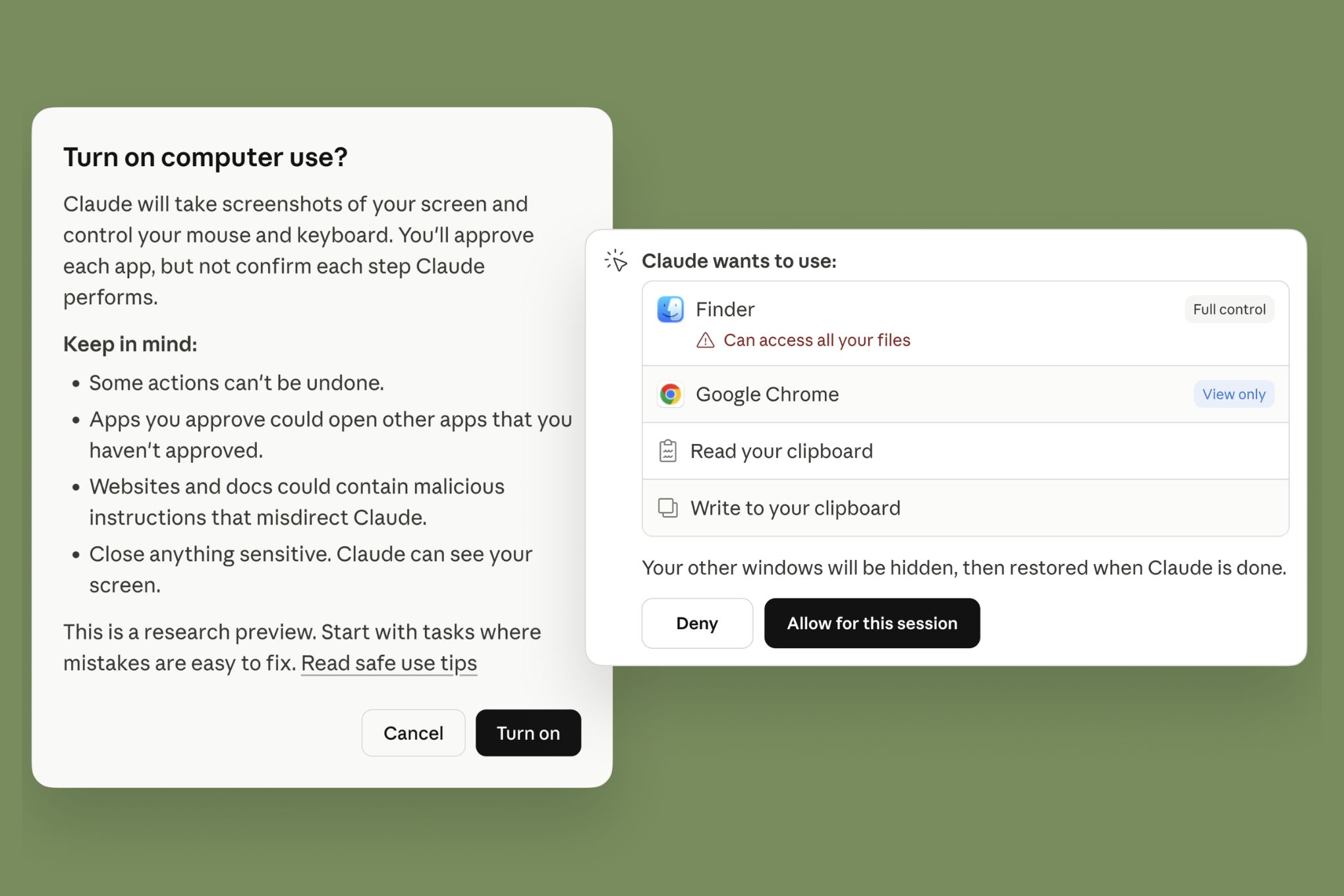
Important Note: Anthropic emphasizes that the AI will always ask for your "explicit permission" before it starts clicking or scrolling. You remain the boss, and the AI is the helper.
Frequently Asked Questions
Is this available for everyone?
Not yet. This is currently a "research preview" limited to people who pay for Claude Pro or Max subscriptions and use a macOS device.
Can the AI do anything on my computer without me knowing?
No. Anthropic states that Claude will always ask for your explicit permission before it performs actions like scrolling, clicking, or navigating through your screen.
Does it work on Windows computers?
As of now, this feature is limited to macOS devices. Anthropic has not announced a timeline for Windows support.
Is this perfect?
Not quite. Anthropic warns that complex tasks might occasionally need a second try and that controlling the computer via the screen is generally slower than using a direct app integration. They are sharing it early to learn where it works well and where it fails.
The Bottom Line
Anthropic is moving AI from a "chat window" to your "desktop workspace." By giving Claude the ability to control your mouse and keyboard, they are turning an AI that can talk into an agent that can do. While it’s currently in an early, experimental phase limited to Mac users, it represents a major shift toward a future where our devices can handle the tedious, repetitive tasks that fill up our workday. Just remember: it’s still in the testing phase, so keep an eye on what it’s doing until the technology matures.