
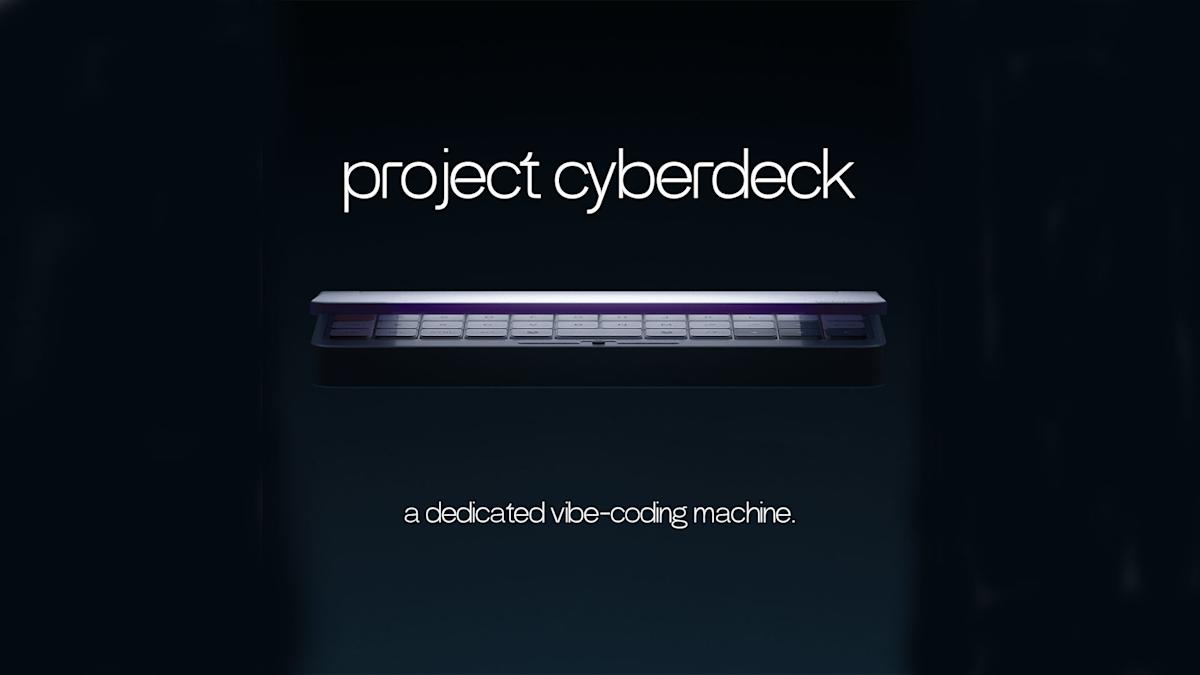
How to Vibe Code on Rabbit’s Upcoming Cyberdeck: A Builder’s Process Guide
Rabbit’s Cyberdeck is a compact, Linux-based netbook-style device with a 40% hot-swappable mechanical keyboard, OLED screen, and native CLI access to Claude Code and other frontier models. It lets builders perform high-quality AI-assisted coding on the go using a lightweight, purpose-built machine that feels good to type on for hours.
Why this matters for builders
The Cyberdeck is the first device explicitly designed around “vibe coding” — the modern workflow where you describe intent to an LLM (Claude, Cursor, GPT-4o, etc.) and iteratively refine working code in short, high-signal sessions. Instead of forcing you to use a heavy laptop or a phone with a terrible keyboard, Rabbit is shipping a ~$500 device that prioritizes typing feel, instant CLI access to top models, and enough local horsepower (targeting Raspberry Pi 5-class performance) to keep the experience snappy when talking to Anthropic or OpenAI.
This unlocks a genuinely new workflow: grab the Cyberdeck, sit anywhere, open a terminal, and stay in flow without context-switching to a full development machine or fighting a rubber-dome keyboard. For builders who already use AI coding tools daily, it turns “I’ll do that on the plane/train/cafe” from a painful compromise into a preferred environment.
When to use it
- You do most of your serious coding through natural language + LLM back-and-forth
- You want a second device dedicated to deep work that doesn’t require booting a 16-inch laptop
- You value mechanical keyboard feel and hate typing on Chromebooks or tablets
- You frequently work in short bursts in varied locations (co-working spaces, travel, couch)
- You want to own the full stack — Linux + any tools + your choice of model
- You’re already comfortable editing code and prompting AI but want better ergonomics
The full process: Shipping real software with the Cyberdeck
1. Define the goal (30–60 minutes)
Start by writing a one-paragraph mission for the session.
Good example: “Build a lightweight personal knowledge base tool that syncs Markdown notes to a private Git repo, lets me query them with natural language using Claude 3.5 Sonnet, and runs entirely from the terminal. Target completion in <400 LOC. Must work offline for reading, online for AI search.”
Bad example: “Make something cool with AI”
Write this goal in a TODO.md or as the first comment in your main file. Keep it visible.
2. Shape the spec / prompt (15–25 minutes)
Craft a system prompt that the Cyberdeck’s CLI tools (or your chosen model) will reuse across the project.
Starter template (save as prompt.md):
You are an expert full-stack engineer. Follow these rules strictly:

- Prefer simplicity and readability over cleverness
- Keep total codebase under 400 lines unless I explicitly approve growth
- Use TypeScript or Python based on my choice
- Write clear, self-documenting code with comments only where intent is non-obvious
- Always output a complete file when making changes
- Suggest tests for core functions
- Ask for clarification before assuming business logic

Project goal: [paste your paragraph from step 1]

Current stack: Linux, Node 22 or Python 3.12, whatever minimal dependencies are needed.
Use this prompt as the base for every major Claude Code or Cursor session.
3. Scaffold the project (10–15 minutes)
On the Cyberdeck you’ll likely work in the terminal. Here’s a reliable starter checklist:
mkdir my-vibe-project && cd my-vibe-project
git init
echo "# Project" > README.md
touch TODO.md
# Example: Node + TypeScript scaffold
npm init -y
npm install -D typescript @types/node tsx
npx tsc --init

# Or Python
python -m venv venv
echo "claude" > requirements.txt  # or whatever SDK you prefer
Create a main entrypoint file immediately so you have something to iterate on.
4. Implement in short, high-signal loops
Best vibe coding rhythm on a device like Cyberdeck:
- Write or paste your current goal into the AI chat
- Ask for the next concrete piece: “Implement the note storage layer using filesystem first”
- Review the output carefully (this is where the good keyboard pays off)
- Paste the code into the file
- Run it immediately
- Give feedback in one clear sentence: “Good structure but make the query function async and add retry logic for network calls”
- Repeat
Stay in the terminal as much as possible. The Cyberdeck’s design (CLI-first + great keyboard) is built exactly for this loop.
5. Validate
Run this quick validation checklist before considering a feature “done”:
- Does it work when I run the main command?
- Did I test the happy path and one obvious error case?
- Is the code readable in <2 minutes by another developer?
- Did I update the TODO.md with what’s left?
- Did I commit with a clear message?
For larger projects, add automated tests for core functions. The Cyberdeck should have enough performance to run lightweight test suites without feeling slow.
6. Ship safely
Once the core is working:
- Push to a private GitHub repo (or self-hosted Gitea)
- Write a one-paragraph “What I built” summary for yourself
- Create a simple release script or just a
dist/folder if it’s a CLI tool - Document setup in README.md in <10 lines
- Optionally package it (npm, pip, or a single binary with
pkgorpyinstaller)
Because the device runs full Linux, you can use any deployment method you already know.
Pitfalls and guardrails
### What if the model keeps making the codebase too big?
Explicitly add size constraints to your system prompt (“under 350 LOC total”) and remind it every 3–4 turns. The Cyberdeck’s small screen actually helps here — you’re less tempted to bloat the project.
### What if I lose flow because the internet is spotty?
Design for graceful degradation. Make core read/write functionality work offline and only call AI models when online. Store the system prompt locally so you can keep working even if the model is temporarily unavailable.
### What if the 7-inch screen feels too small?
Use it as intended: single focused task at a time. Connect to an external monitor via USB-C when you’re at a desk. The device is meant to complement, not replace, your main workstation.
### What if hardware specs change before release?
The target is Raspberry Pi 5 performance with 16GB RAM. Treat anything below that as a bonus. Plan your software to run comfortably on 8GB and 4 cores.
### What if I get distracted and start building three things at once?
Limit yourself to one TODO.md per session. Close other terminals. The Cyberdeck’s cute, focused form factor actually discourages multitasking.
What to do next
After your first successful project on the Cyberdeck (or a similar vibe coding setup):
- Extract your best reusable system prompts into a
prompts/folder - Build a small personal CLI that wraps your favorite model with your preferred defaults
- Try one project that uses the device’s mobility (location-aware tool, field data collector, etc.)
- Document your personal vibe coding workflow and share it
- Prepare a second project that you will finish entirely on the device once it ships
The Cyberdeck is not about raw compute. It’s about removing friction from the AI-assisted coding loop so you ship more, more enjoyably.
Start practicing the process today on whatever machine you have. When the Cyberdeck arrives later in 2025/2026, you’ll already have the workflow dialed in and can immediately take advantage of its keyboard, screen, and Linux freedom.
Sources
- Original Engadget article: https://www.engadget.com/ai/rabbits-cyberdeck-is-a-modern-take-on-a-netbook-151907273.html
- Additional coverage: Gizmodo, Inc., Technetbook, and community discussion on r/cyberDeck (Jan 2026 announcements)